 Skewered Fencing


Watch, record, control.
The Skewered Fencing app is the companion to your Skewered Fencing scoring box: a live repeater for every strip, a video recorder that captures your bouts for later review, a wireless remote, a wireless firmware updater, and the companion for the Skewered Fencing video replay system. It is free, needs no account, and collects no data.
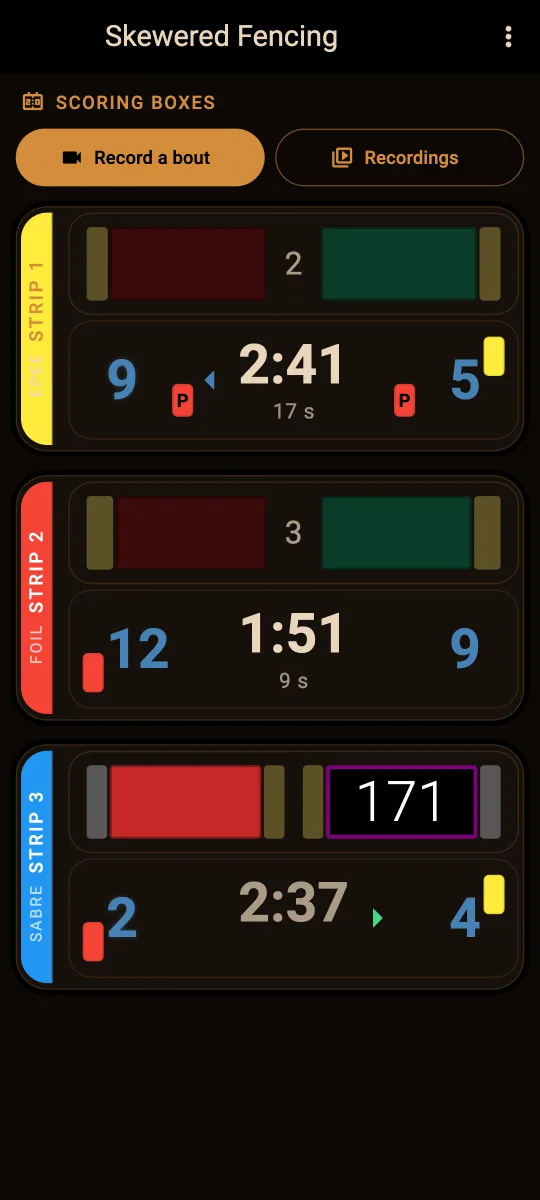
Watch: a live repeater, no setup
The app listens wirelessly for nearby scoring boxes and mirrors them in real time. There is nothing to set up and no cable to run.
- Live weapon lights: valid and non-valid touches for foil, épée, and sabre.
- Score, match clock, period, and break timers.
- Priority and passivity (P-card) timers.
- Yellow, red, and penalty cards; short-circuit and fault indicators.
- Watch several boxes at once, labeled by strip and color-coded.
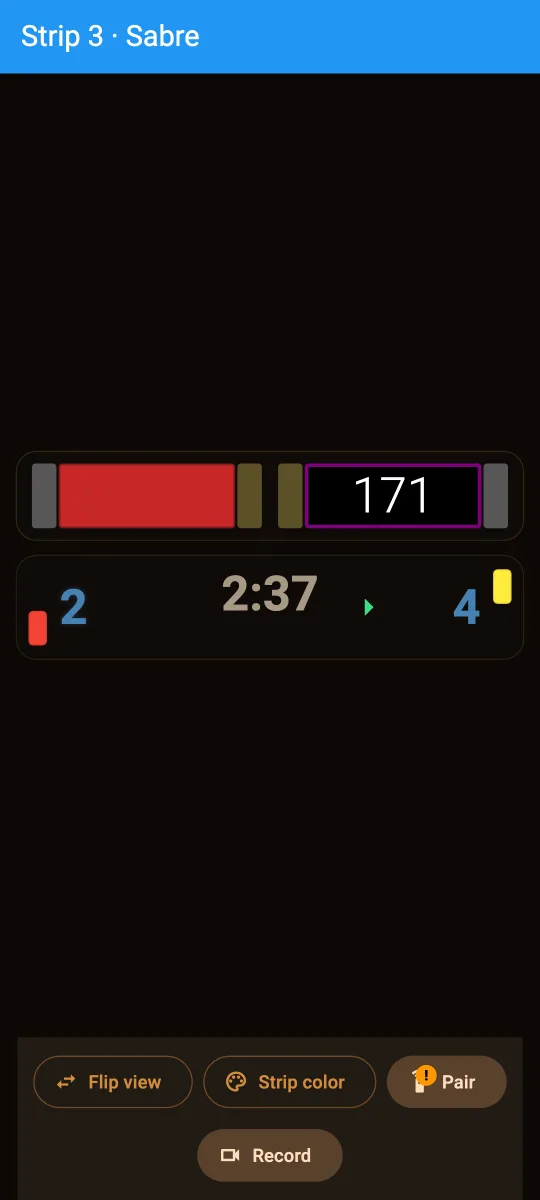
- Tap any box for a full-screen view of one bout, and flip its sides to match where you sit.
- Sleeping boxes dim so active bouts stand out, and the screen stays awake.
Record: bout video with matching scoring box data
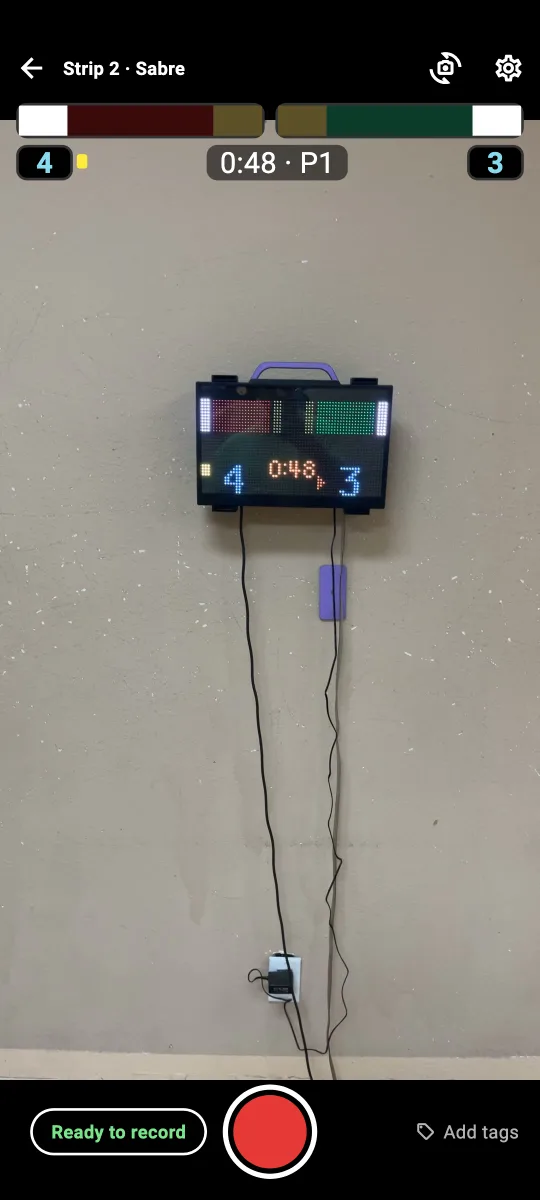
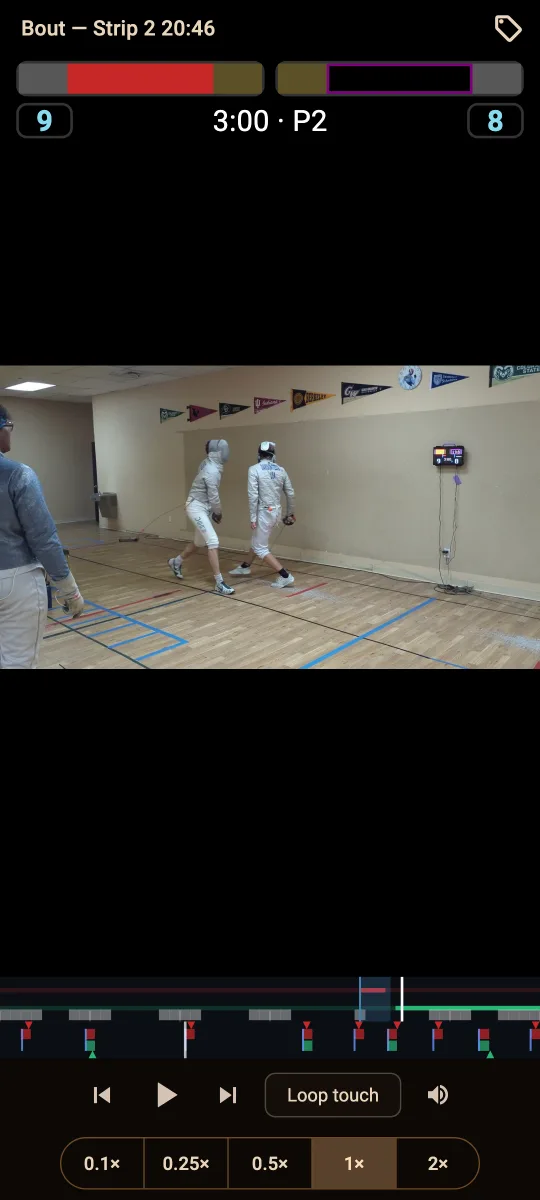
Film a bout with your phone and the app overlays the box's lights, score, and clock on the video, reconstructed from the box's own data.
- Jump from touch to touch, watch touches on a loop, and slow them down.
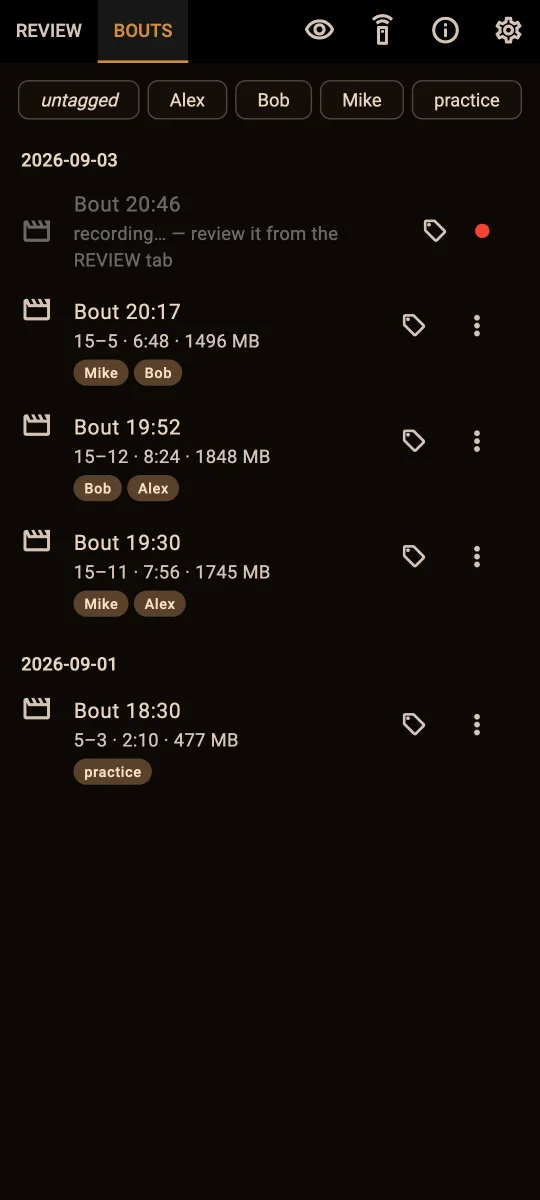
- Name and tag recordings so you can find each bout.
- Your recordings are yours: each bout shows up in your phone's file manager as a folder with the video, the scoring timeline, and the raw data, ready to copy anywhere.
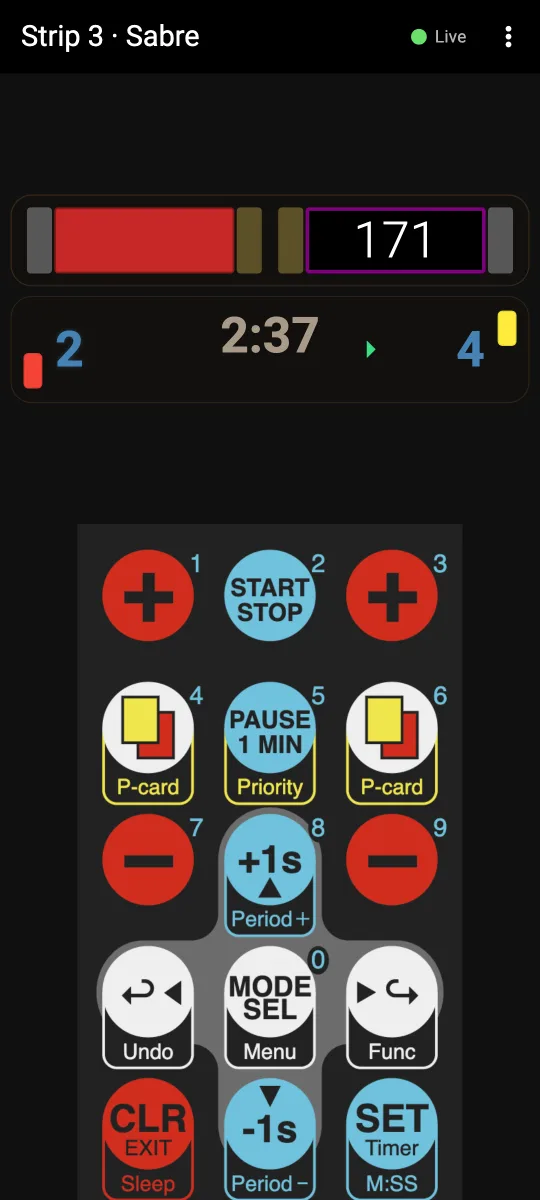
Control: a remote in your pocket
Register the phone with a box and it works exactly like the physical remote: score, clock, cards, priority, and weapon. There are no secret remotes. Registration needs the code that the box shows only on its own menu, and the box announces on its display whenever a remote is connected. See Wireless in the scoring box manual for how to register.
Update: new firmware, no cable
Install new scoring box firmware straight from the app. Choose Firmware > Update on the box, then pick the firmware in the app and select the box. Connected repeaters enter update mode along with the box, so they can be updated at the same time.
- Updating needs a registered phone, and the box must be put into update mode from its own menu, so no one can update a box without your say-so.
- The box only accepts firmware signed by Skewered Fencing, and a failed or interrupted update leaves the current firmware in place.
- Boxes running firmware older than Build 729 need a one-time update over USB first.
See Updating the scoring machine firmware in the scoring box manual for the full steps.
Review: video replay systems
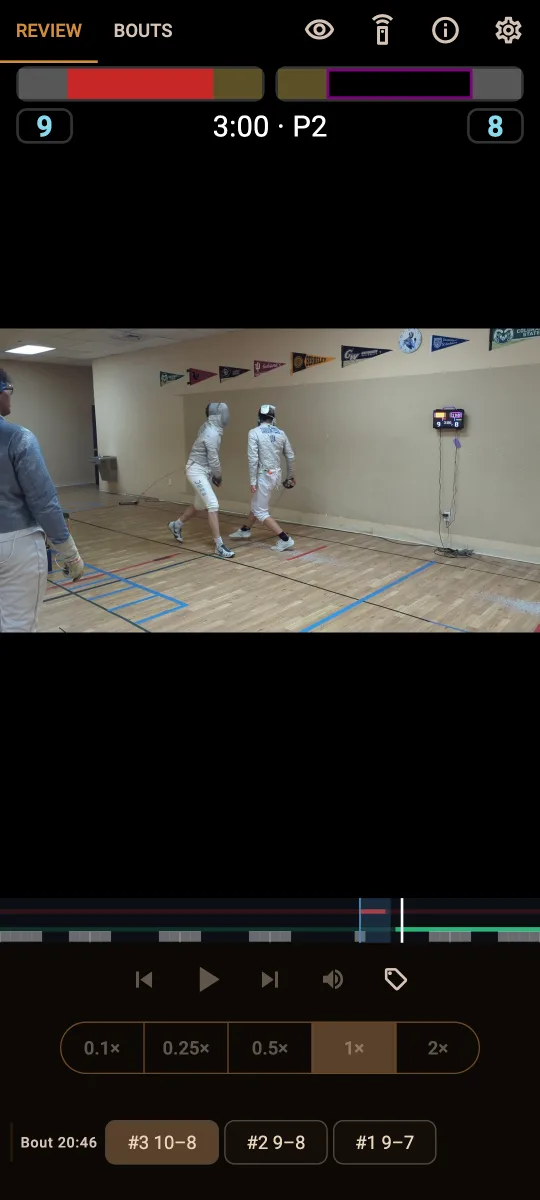
If your club runs Skewered Fencing video replay systems, the app is their companion too. Systems on your network appear by themselves, and you can review touches with the scoring overlay, watch the live camera, browse and tag bouts, and manage the system, all from your seat. See the video replay system manual for details.
Simple and private
Watching needs nothing: the app only listens to signals your box already broadcasts. Remote control and firmware updates are opt-in and require registering the phone at the box itself. Recordings stay on your device. The app collects no data. See the privacy policy.
The app requires a Skewered Fencing scoring box. Replay features require a Skewered Fencing video replay system.